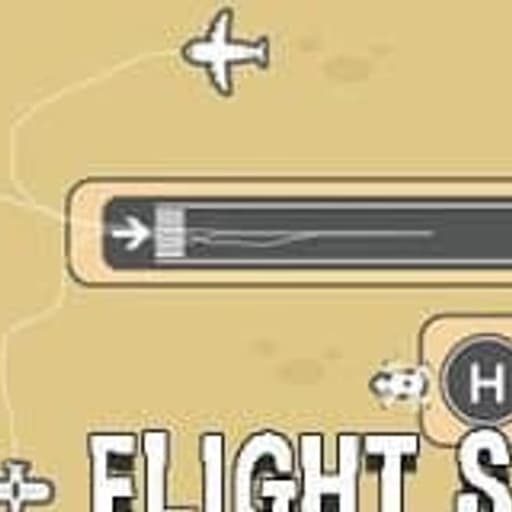
Flight Sim is a unique arcade-puzzle game where players assume the role of an air traffic controller, tasked with drawing precise flight paths for incoming airplanes and helicopters. The goal is to guide each aircraft safely to its designated landing strip while preventing mid-air collisions.
This browser-based HTML5 experience combines strategic planning with real-time action, offering a compelling challenge for fans of drawing games and flying simulations.
Unlike traditional flight simulators, Flight Sim shifts focus from piloting to strategic management. You're not flying the plane; you're directing an entire air fleet with your mouse or touch.
The core mechanic involves sketching trajectories directly onto the screen, adapting to new arrivals and dynamic obstacles. This real-time drawing element adds a layer of pressure, similar to classic air traffic control games but with a more direct, intuitive input method.
You'll encounter various aircraft, each with different speeds and handling characteristics, making every level a fresh strategic puzzle. The game challenges your ability to multitask and think several steps ahead, ensuring all planes reach their destination without incident.
As you progress through Flight Sim, the complexity escalates rapidly. Early levels might feature just a couple of planes, but soon you'll be managing a busy airspace with multiple aircraft converging on a single airport.
New challenges like unexpected weather changes, limited fuel, or special landing conditions keep you on your toes. The game is divided into distinct "chapters," each introducing new mechanics or increasing the difficulty through tighter timing and more complex layouts.
Success in Flight Sim requires quick reflexes, keen spatial awareness, and the ability to adjust plans instantly. A single misdrawn path can lead to chaos, so precision and foresight are key to mastering the skies.
Flight Sim appeals to a broad audience, from casual players looking for a quick, engaging puzzle to strategy enthusiasts who appreciate a good mental workout.
If you enjoy games that test your planning abilities under pressure, or if you're a fan of management simulations and resource allocation, this game is for you. Its simple control scheme makes it accessible, but the depth of its challenges provides lasting replayability.
It's also a great fit for anyone who enjoys games like Flight Control or Airport Madness, but with the added hands-on satisfaction of literally drawing the solutions yourself.
The mix of action, arcade feel, and educational elements about air traffic principles makes Flight Sim a rewarding experience.
You can play Flight Sim directly in your browser without any downloads or installations. This HTML5 game runs smoothly on most devices, including school and work networks that often block other gaming platforms.
Enjoy this engaging air traffic control puzzle game for free, whenever and wherever you want, right here on Sonsaur.com.
The main goal in Flight Sim is to safely guide all incoming airplanes and helicopters to their correct landing strips without any mid-air collisions. You'll need to manage multiple aircraft simultaneously.
To control aircraft, use your mouse or touch screen. Left click or tap on an aircraft, then drag to draw a flight path for it. The plane will follow this path. You can redraw paths at any time to adjust their trajectory.
Levels start with a few planes, but quickly introduce more aircraft, different landing zones, and obstacles. Each plane must land at its matching colored runway. Successfully landing all planes completes the level.
Managing speeds and avoiding intersecting paths are crucial. Some planes might be faster than others, requiring you to create holding patterns or prioritize their landing order.
Path Planning - Draw long, sweeping paths initially to give yourself more reaction time. Holding Patterns - Create circular or looping paths for planes that need to wait for a clear runway.
Prioritize Landings - Land the fastest planes or those with limited fuel first to reduce congestion. Monitor Speeds - Pay attention to different aircraft speeds; faster planes can catch up quickly.
Clear Intersections - Always ensure flight paths don't cross at critical points, especially near runways. Quick Adjustments - Be ready to redraw paths instantly if new planes appear or a collision is imminent.