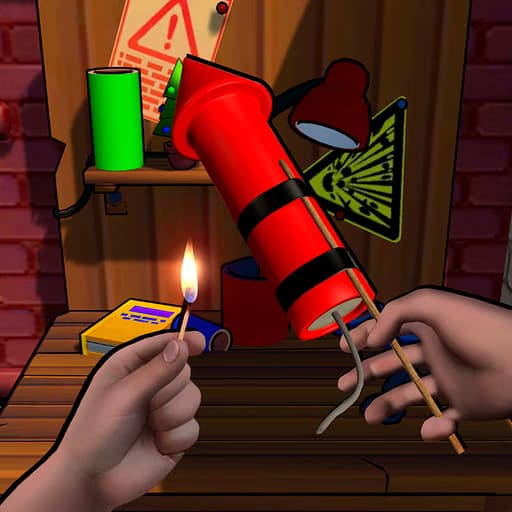
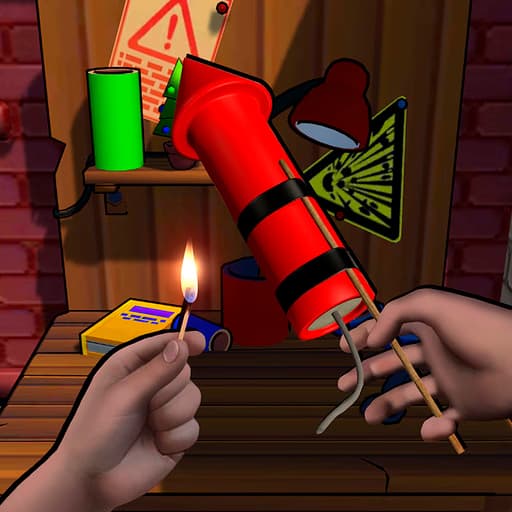
 Fireworks Maker Simulator Bang
Fireworks Maker Simulator Bang is an adventure simulation game where you design, craft, and launch virtual fireworks using a detailed crafting system. Players experiment with different materials and fuse timings to create custom explosive displays. The game is played in-browser with mouse controls and is accessible on desktop and mobile devices.
In Fireworks Maker Simulator Bang, you start with basic ingredients like powder, shells, and wicks. Mix and match these components to build unique fireworks, then adjust fuse lengths and shell shapes to control the burst patterns. Each recipe influences the color, size, and effects of your firework, letting you experiment to find the perfect combination.
The game stands out for its creative freedom. Unlike most simulation games, Fireworks Maker Simulator Bang gives you deep control over every stage of the crafting process. You can preview your creation before launching it, tweak variables in real time, and even save your best displays for future shows. Fans of games like Little Alchemy or Powder Game will appreciate the sandbox-style experimentation and visually rewarding results.
If you love experimenting, tinkering, or creative problem-solving, this simulation will hook you from the start. Younger players can learn cause and effect by testing different combinations, while older users will appreciate the intricate mechanics and ability to build complex fireworks. The visual spectacle of each launch makes every experiment worth watching, whether you’re aiming for big bursts or intricate patterns.
Play Fireworks Maker Simulator Bang for free in your browser with no downloads required. The game runs smoothly on school and work networks, so you can enjoy designing fireworks anywhere, anytime.
Your main goal in Fireworks Maker Simulator Bang is to create and launch custom fireworks using a variety of materials and components. You'll experiment with different recipes to produce colorful and explosive displays in the sky. Use your mouse to select materials, drag components into your crafting area, and adjust fuse lengths or shell types. On mobile, tap and swipe to interact with menus and ingredients. To start, pick your base shell, add powder and special effects, then attach a fuse. Once your firework is ready, click the launch button to see your creation in action. Try different combinations to unlock new effects and colors. Some recipes may require precise timing or sequence of assembly. Watch how each change impacts your firework, and don’t be afraid to experiment for the best results.
Experiment with recipes - Try different powder and shell combinations to unlock new effects. Use short fuses for faster shows - Adjust fuse length for quick, impactful fireworks. Preview before launch - Always use the preview option to avoid wasted materials. Save unique designs - Store your best creations for future displays. Combine colors - Mix effect powders for multicolored explosions. Watch fuse timing - Precise timing can trigger unique burst patterns.