
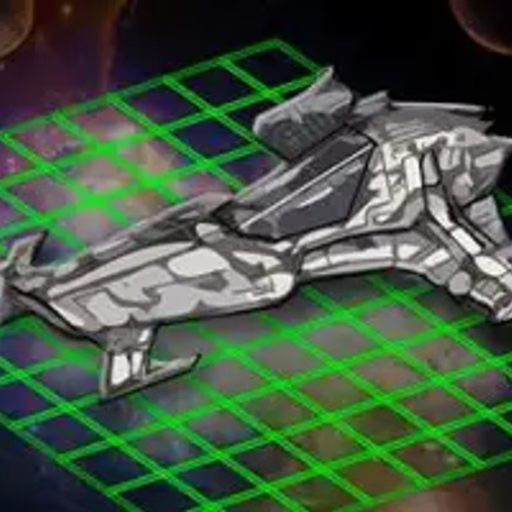
Intergalactic Battleships
Intergalactic Battleships is a classic turn-based strategy game played in your browser against a computer opponent. Based on the timeless board game, this HTML5 version challenges you to strategically place your fleet of five ships on a grid and hunt down the enemy's hidden vessels.
Use your mouse to fire shots and deduce their locations before they find and sink yours.
How Do You Play Intergalactic Battleships?
The game begins with a placement phase. You'll see your fleet of five ships, each a different size. Use your mouse to drag and drop each ship onto your grid on the left side of the screen.
Arrange them in a way you think will be difficult for the enemy to guess. Once your ships are set, the battle begins.
You and the AI opponent take turns firing at each other's grids. On your turn, click any square on the enemy's grid on the right. A white peg means you missed, while a red peg indicates a successful hit on an enemy ship.
The goal is to land enough hits to sink all five enemy vessels.
Strategic Ship Placement and Hunting
Your opening setup is critical in Intergalactic Battleships. Avoid clustering all your ships together, as one lucky guess from the AI could reveal several of your positions. Spreading them out across the board is often a safer strategy.
Place your smallest ship, the two-square Destroyer, in an unpredictable location to make it the hardest to find.
When you are hunting, firing in a pattern-like a checkerboard-can help you cover the grid efficiently. Once you score a hit, focus your subsequent shots on the adjacent squares to locate the rest of the ship and sink it quickly.
Pay attention to which enemy ships have been sunk to know what sizes you're still looking for.
Intergalactic Battlesships Unblocked - Free Browser Game
You can play Intergalactic Battleships for free directly in your web browser. There are no downloads or installations required.
Because it's a simple HTML5 game, it runs on most school or work networks, allowing you to jump into a quick strategic battle whenever you have a few minutes to spare.
Your objective in Intergalactic Battleships is to find and sink all five of the computer opponent's ships before it sinks your entire fleet.
Use your mouse to control the game. At the beginning, left click and drag your ships onto your grid to position them. During the battle phase, use a left click to select a square on the opponent's grid to fire a shot.
The game is turn-based. After you fire, the AI will take its turn firing at your grid. A white marker signifies a miss, while a red marker indicates a hit. The first player to destroy the opponent's whole fleet wins the game.
Before you begin, you can choose from three difficulty levels: Easy, Normal, or Hard. This adjusts how strategically the AI opponent will play.
Game Tips
Spread Your Fleet - Avoid placing your ships right next to each other. This prevents the AI from finding multiple ships with a few lucky shots. Hide the Destroyer - The two-square Destroyer is your smallest ship.
Place it in a corner or along an edge where the AI is less likely to search initially. Checkerboard Search - When hunting for enemy ships, fire in a checkerboard or diagonal pattern.
This efficiently covers the grid and increases your chances of a first hit. Hunt Mode - Once you score a hit, immediately fire on the surrounding squares (up, down, left, right) to find the rest of the ship's orientation and sink it.
Don't Waste Shots - Keep track of your hits and misses. Avoid clicking on the same square twice, as it wastes a turn.