

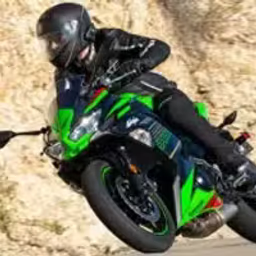
Kawasaki Ninja 650 Puzzle is a browser-based jigsaw puzzle game for fans of motorcycles and anime art. This HTML5 title lets you piece together six high-quality images featuring an anime character and the iconic Kawasaki Ninja 650.
Players use a simple mouse-based drag-and-drop system to assemble puzzles with four selectable difficulty levels.
In Kawasaki Ninja 650 Puzzle, you can tailor the challenge to your preference before starting each image. The game offers four distinct difficulty settings to choose from.
You can select Easy mode for a quick 16-piece puzzle, Medium for a standard 36-piece challenge, Hard for a more involved 64-piece layout, or Expert for the ultimate 100-piece test. This range makes the game accessible for new players and engaging for seasoned puzzle solvers.
Unlike fast-paced racing games, this title offers a calm and focused activity. It's about appreciating the details in the artwork and the satisfaction of seeing a complete picture come together. The combination of sleek motorcycle design and vibrant anime illustration provides a unique visual theme.
There's no timer or score, allowing you to solve each puzzle at your own pace. It's a perfect game to unwind with, testing your visual memory and pattern recognition skills without any pressure. Just pick an image, set your difficulty, and start building.
You can enjoy Kawasaki Ninja 650 Puzzle for free directly in your web browser. There are no downloads or installations required to play.
Since it's an HTML5 game, it runs on most modern devices and can be accessed on networks at school or work that might block other gaming sites.
The goal in Kawasaki Ninja 650 Puzzle is to correctly assemble a jigsaw puzzle. You'll choose from one of six images featuring an anime girl and a Kawasaki Ninja 650 motorcycle, then piece it together.
The controls are very straightforward. Use your mouse to left click and hold a puzzle piece to pick it up. Drag the piece to where you think it belongs on the puzzle board and release the left click to place it.
On touch devices, simply tap and drag the pieces with your finger.
To begin, select one of the six available images. After that, choose your preferred difficulty: Easy (16 pieces), Medium (36 pieces), Hard (64 pieces), or Expert (100 pieces). The game is finished once all pieces are locked into their correct positions.
Start with the Edges - Like any traditional jigsaw, finding and connecting all the border pieces first is a great strategy. This creates a frame to help you fill in the rest.
Group by Color - Before placing pieces, drag similar-colored pieces into rough groups on the side. This helps you quickly find parts for the motorcycle, the background, or the character.
Focus on Key Details - Look for easily identifiable objects like the motorcycle's headlight, the brand logo, or the character's face. Assembling these mini-sections gives you anchors to build from.
Use the Preview - If you get stuck, take a quick look at the complete image preview. It can help you recognize the shape or pattern you're looking for.
