
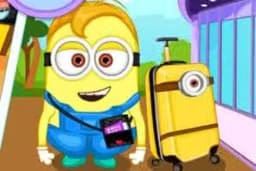
Minions fly to NYC is a casual dress-up game where you style a popular Minion character for a vacation in New York City.
Using a simple point-and-click interface in your web browser, you can mix and match a variety of clothes, accessories, and hairstyles to create a unique look for the adventurous character.
The wardrobe in Minions fly to NYC is packed with options suitable for a trip to the Big Apple. You can choose from a range of tops, pants, and shoes to assemble a base outfit. The real fun comes with the accessories.
Give your Minion iconic tourist gear like an 'I Love NY' hat, stylish sunglasses, or a camera to capture the sights. You can experiment with different combinations to create looks that are funny, fashionable, or a chaotic mix of both.
Every item is designed to fit the Minion's unique shape, leading to some hilarious results.
Beyond the clothes, you can also set the scene for your Minion's adventure. The game allows you to change the background to feature famous New York City landmarks.
Place your stylishly dressed character in front of the glittering lights of Times Square, near the Statue of Liberty, or overlooking the city skyline. This feature adds another layer of customization, letting you create the perfect postcard from the Minion's trip.
You can play Minions fly to NYC for free directly in your web browser. There's no need for any downloads or installations.
Since it's an HTML5 game, it runs on most modern devices and can be accessed on networks at school or work, making it easy to jump in and play anytime.
The goal in Minions fly to NYC is to use your creativity to dress up the Minion for his exciting trip.
There are no scores or time limits, so you can freely experiment with all the available clothing and accessory options to design the perfect vacation outfit.
Controlling the game is simple. Use your mouse to navigate the menus. Click on the icons to switch between categories like hats, tops, bottoms, and accessories. Once in a category, click on the item you want to put on the Minion.
Browse through each tab to see all the possibilities. Select an item from one category, then move to another to add more layers. If you change your mind, just click a different item in the same category to swap it out.
You can also click the background button to change the NYC scene behind your character.
Mix and Match - Don't be afraid to combine different styles. A tourist hat with a fancy jacket can create a funny and memorable look. Theme the Outfit - Try creating a look that fits the background.
For example, make a classic tourist outfit for the Times Square scene. Accessorize Freely - The glasses and hats often make the biggest impact. Cycle through all of them to see how they change the Minion's personality.
Save Your Favorites - Use your computer's screenshot tool to capture your best creations before you start a new design. Check Every Tab - Some items are tucked away in different categories.
Make sure you've clicked through all the icons to see every piece of clothing available.
