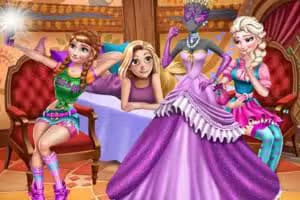
Modern Girls Dress Design! is a creative dress-up simulation game where you become a personal stylist for the fashionable Princess Rachel. Using simple click-or-tap controls in your browser, you'll explore a vast spring-themed wardrobe to design the perfect modern outfits.
This HTML5 game is perfect for players who love fashion, styling, and expressing their creativity.
Your main goal in Modern Girls Dress Design! is to put together a complete look from head to toe. You'll start by browsing through different categories presented on the screen.
These include hairstyles, makeup, tops, bottoms, dresses, shoes, and a wide array of accessories like bags, jewelry, and glasses.
Simply click on a category to see all the available options. Clicking on an item will automatically apply it to Rachel. You can mix and match pieces from different categories to see what works best.
There are no rules or timers, giving you total freedom to experiment with different styles.
The game features a rich collection of clothing and accessories that reflect current fashion trends. You can choose from casual tops and jeans for a day out with friends, elegant dresses for a special occasion, or chic skirts and blouses for a sophisticated look.
The variety ensures that no two outfits will ever be the same.
Beyond the clothes, you can fine-tune Rachel's appearance with different hairstyles-from long and flowing to short and edgy-and makeup options. This level of customization allows you to create a truly unique character that matches the style of the clothes you've chosen.
You can play Modern Girls Dress Design! for free directly in your web browser. There's nothing to download or install, so you can start styling right away.
Because it runs on HTML5, it works smoothly on most school or work networks, making it easy to play whenever you have a free moment.
The goal in Modern Girls Dress Design! is to act as a stylist for Princess Rachel. Your task is to create beautiful and modern outfits perfect for the spring season using the extensive wardrobe provided.
The controls are simple and intuitive. Use your mouse to click on the different category icons on the screen, such as hairstyles, tops, dresses, and accessories. Clicking on an item within a category will instantly apply it to the character.
Progression is straightforward and creative. Move through each category and select your favorite pieces to build an ensemble. You can change items as many times as you like until you are satisfied with the final look.
Once you've created the perfect outfit, you can save a picture of your design.
Start with the Hair - Choosing a hairstyle first can help set the tone for the entire outfit and make it easier to select matching clothes. Color Coordination - Pay attention to colors.
Creating an outfit with a complementary color palette makes your design look more polished and professional. Don't Forget Accessories - A handbag, a pair of sunglasses, or a necklace can elevate a simple outfit into something special. Experiment with different accessories to complete the look.
Layer Your Looks - Instead of always picking a dress, try combining different tops and bottoms. Layering a jacket over a shirt can create a more dynamic and interesting style.
Mix and Match Styles - Don't be afraid to combine a casual top with a more formal skirt. Some of the best fashion moments come from unexpected pairings.
