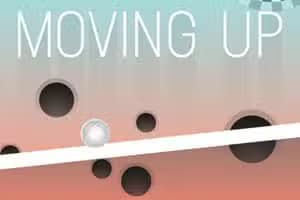

Moving Up is a challenging skill-based puzzle game where your goal is to guide a ball ever upwards. This HTML5 browser game combines elements of platformers and physics puzzles, controlled entirely with a simple drag-and-release mouse or touch mechanic.
It offers both handcrafted levels for a structured challenge and an endless mode for high-score chasers, similar to titles like Jump King but with a focus on precise aiming rather than just jumping.
The control scheme in Moving Up is intuitive but difficult to master. You don't directly control the ball. Instead, you use your mouse or finger to click and drag away from the ball.
This action creates a trajectory line, showing you the path and power of your impending shot.
The further you drag, the more powerful the launch will be. Releasing the click or your finger sends the ball flying along that path.
Success depends on mastering the physics, judging distances, and applying just the right amount of force to land on the next platform without overshooting or falling short.
Moving Up offers two distinct ways to play. Level Mode presents you with a series of handcrafted stages, each with a unique layout of platforms and obstacles.
These levels increase in difficulty, testing your precision and problem-solving skills as you try to reach the designated finish line.
Endless Mode, on the other hand, is all about endurance and achieving a high score. The game generates a never-ending tower of platforms, and your objective is to climb as high as you possibly can before one wrong move sends you tumbling down.
This mode is perfect for players who love competing for the top spot on the leaderboard.
A core mechanic you'll need to master is the ricochet. Simply launching from platform to platform isn't always enough. Many sections require you to skillfully bounce the ball off walls to navigate tight corners or reach platforms that are otherwise inaccessible.
Learning to use angles to your advantage is critical. A well-placed bank shot can be the difference between clearing a tricky section and having to restart. Experiment with different angles and power levels to see how the ball reacts to various surfaces.
You can play Moving Up for free directly in your web browser. There's no need for any downloads or installations, letting you jump right into the action.
Because it's a lightweight HTML5 game, it runs on most modern devices and can often be accessed on school or work networks that might block other gaming sites.
The goal in Moving Up is to propel a ball upwards, platform by platform, without letting it fall into the gaps below. In level mode, you must reach the designated endpoint.
In endless mode, the objective is to climb as high as possible to set a new high score.
Controls are managed with your mouse or a touch screen. To launch the ball, left click (or tap) and hold, then drag away from the ball. An arrow will appear, indicating the direction and power of your shot.
The further you drag the cursor, the more powerful the launch will be. Release the click or your finger to send the ball flying. You must carefully aim each shot to land safely on the next platform.
Short Hops - For small adjustments or tight spaces, use very short drags close to the ball for a precise, low-power hop. Use the Walls - Ricocheting off walls is a key skill.
Use them to change your trajectory mid-air or to get into difficult-to-reach spots. Plan Ahead - Before you launch, look at the next few platforms. Planning a route in advance helps you avoid getting stuck in a bad position.
Master Power Control - Get a feel for how far you need to drag for different distances. Practice both full-power shots and gentle taps to become more versatile. Patience Pays Off - Rushing is the fastest way to fall.
Take a moment to line up each shot perfectly, especially on higher, more difficult levels.
