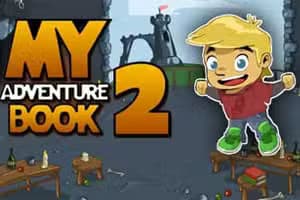
My Adventure Book 2 is a charming point-and-click puzzle adventure game where you become the hero of an interactive story. Played entirely in your browser, this HTML5 title challenges you to solve clever environmental puzzles across three distinct chapters.
Using your mouse to interact with the world, you'll find items, combine them, and use them to overcome obstacles, much like in classic escape room games.
Progression in My Adventure Book 2 relies on your observation and logic. You control the game with your mouse, clicking on objects to examine them or add them to your inventory.
The core mechanic involves figuring out how to use these collected items to solve problems.
For example, you might find a key that opens a locked chest or combine a stick and a string to create a fishing rod. The puzzles are integrated directly into the story, making each solution feel like a meaningful step forward in your grand adventure.
There's no time limit, so you can explore each scene at your own pace.
Your journey is divided into three exciting chapters, each with a unique theme and set of challenges. One chapter might have you navigating a mysterious forest, another could see you exploring a forgotten castle, and a third might send you deep into a treasure-filled cave.
This structure keeps the gameplay fresh and presents new types of puzzles to solve.
Each chapter acts as a self-contained story arc within the larger narrative. You'll need to use all your wits to see what happens next as you guide the hero through every beautifully illustrated page of this interactive book.
You can enjoy the entire story of My Adventure Book 2 for free directly in your web browser. There's no need for any downloads or installations.
Since it's an HTML5 game, it runs on most modern devices and isn't blocked by school or work networks, making it easy to play your adventure wherever you are.
The goal in My Adventure Book 2 is to guide the hero through a three-chapter story by solving a series of point-and-click puzzles. Your objective is to find and use objects in the environment to overcome obstacles and advance the narrative.
Controls are simple and intuitive. Use your mouse to move the cursor around the screen. Perform a left click to interact with objects, pick up items for your inventory, or use an inventory item on a part of the scene.
Progression is based on puzzle-solving. Examine each area carefully for interactive items. Collected items appear in your inventory, where you can select them to use or even combine them with other items to create new tools.
Solving one puzzle will unlock the next area or part of the story.
Examine Everything - Click on all parts of the scenery, not just the obvious objects. Sometimes clues are hidden in the background. Think Logically - Consider the real-world function of an item.
A rope might be used for climbing or tying things, while a sharp object could be used for cutting. Combine Your Items - Don't forget to try using one inventory item on another.
You might need to craft a new tool to solve a difficult puzzle. Pixel Hunting - Some interactive spots can be small. Slowly sweep your mouse across the screen to ensure you don't miss any clickable areas. Stuck?
Re-examine - If you're stuck, revisit previous screens. You may have missed a crucial item or a visual clue that you didn't realize was important before.
