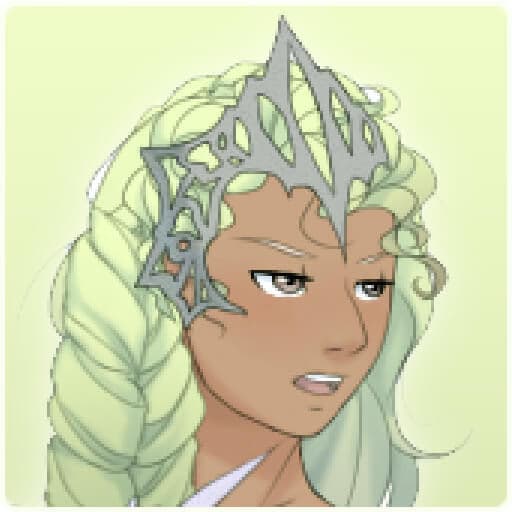

Empress Creator is a browser-based character creation game that lets you design your own royal ruler. This HTML5 dress-up experience features a deep customization system controlled with a simple point-and-click interface.
You can craft a unique sovereign by choosing from hundreds of clothing items, hairstyles, accessories, and backgrounds to bring your vision to life.
The core of Empress Creator lies in its vast collection of fashion and regalia. The wardrobe is packed with elaborate gowns, elegant tops, and flowing skirts suitable for any royal court.
You can browse dozens of hairstyles, each with a full spectrum of color options to match your empress's style.
No ruler is complete without their treasures. The game provides a trove of accessories, including sparkling tiaras, majestic crowns, intricate jewelry, and powerful scepters. You can also add fantastical elements like angel wings or a magical aura to create a truly otherworldly sovereign.
This game is more than just a dress-up simulation; it's a tool for storytelling. Will you design a benevolent queen in flowing white and gold, ruling with kindness from a sunlit throne room?
Or will you craft a fierce warrior empress, clad in dark armor and holding a formidable weapon against a stormy backdrop?
Your choices define your character's personality and narrative. Experiment with different combinations of clothing, facial expressions, and settings to build a complete picture. Each creation becomes a snapshot of a unique character with their own story to tell.
You can play Empress Creator for free directly in your web browser. There are no downloads or installations required to start designing.
Because it's an HTML5 game, it runs on most modern devices and can often be accessed on school or work networks that might block other gaming sites.
The goal in Empress Creator is to design your own unique empress using the extensive catalog of clothing, accessories, and cosmetic options.
The game is controlled entirely with the mouse. Use your cursor to navigate the menus and left click on categories like 'Hairstyles', 'Dresses', or 'Accessories'. Click on an item to equip it to your character.
Progression is straightforward. Start with the base model and move through the different tabs to customize each aspect of her appearance. Select facial features, hair, outfits, and more.
Once you are satisfied with your design, you can choose a background and save your creation as an image.
Color Coordination - Use the detailed color palettes to match different parts of your outfit for a polished and cohesive look. Layering is Key - Don't be afraid to combine different tops, skirts, and overcoats.
Layering items can create a much more detailed and unique style. Backgrounds Set the Mood - The background you choose is essential for storytelling. A palace garden suggests a gentle ruler, while a battlefield implies a warrior empress.
Don't Forget Expression - A simple change in facial expression can completely alter your character's personality. Match it to her outfit and background. Mix and Match Themes - Combine items from different sets.
A warrior's gauntlets might look surprisingly cool with a delicate ball gown for a truly original character.
