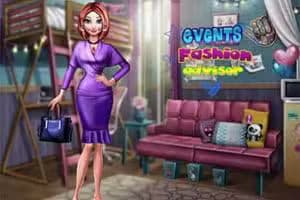
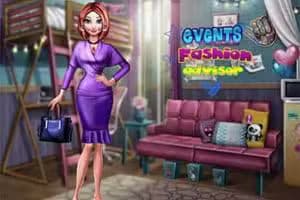
 Events Fashion Advisor
Events Fashion Advisor is a casual dress up game where players take on the role of a stylist, helping characters prepare stunning outfits for various events. Designed for browser play in HTML5, the game blends educational elements with creative fashion challenges, offering outfit coordination, hair styling, and accessory selection. Fans of games like Covet Fashion or Barbie Dress Up will recognize familiar mechanics but enjoy unique scenarios focusing on different event themes.
Players receive a character with a specific event in mind—such as a red carpet gala, prom night, or beach party—and must select appropriate outfits and hairstyles to match. Each event presents its own requirements, pushing you to mix and match tops, bottoms, dresses, shoes, and accessories. Hair styling adds another layer, giving you even more ways to personalize the look for each scenario.
Events Fashion Advisor stands out with its focus on themed events and real-world fashion advice. Unlike generic dress up games, it challenges you to consider style, appropriateness, and matching color palettes based on the event. The game provides immediate feedback on outfit choices, helping you learn what works best for each occasion, making it a great blend of creativity and practical style knowledge.
You can replay any scenario to try new outfit combinations or improve your previous scores. This encourages experimentation, letting you test daring looks and discover which combinations score highest. With multiple characters and events, there's plenty of replay value for anyone who loves fashion or wants to sharpen their style sense.
Events Fashion Advisor is fully accessible in your browser—no downloads or installations required. Play for free on any device, including school or work computers, and enjoy creative fashion fun anytime.
Your main objective in Events Fashion Advisor is to style your character perfectly for the occasion. You'll need to pick outfits, hairstyles, and accessories that fit the event's theme. Use your mouse to select clothing items, hair styles, and accessories from the menus. Click on each item to try it on. For mobile devices, tap directly on items to choose them. To start, select the event scenario you want to play. Review the theme and then browse through the wardrobe options to build your look. When you're happy with your choices, click the 'Done' button to see your score and move to the next level. Some levels introduce special event requirements or bonus objectives, such as using specific colors or styles. Pay attention to the hints for the best score.
Check the event theme - Always review the event's requirements before selecting outfits. Mix and match - Combine different accessories and hairstyles for unique looks. Use hints - Pay attention to suggestions for bonus points on each level. Try bold styles - Don't be afraid to use standout colors or patterns if they fit the occasion. Replay for better scores - Go back to earlier levels to experiment and improve your rating.