 Speed Run 3d
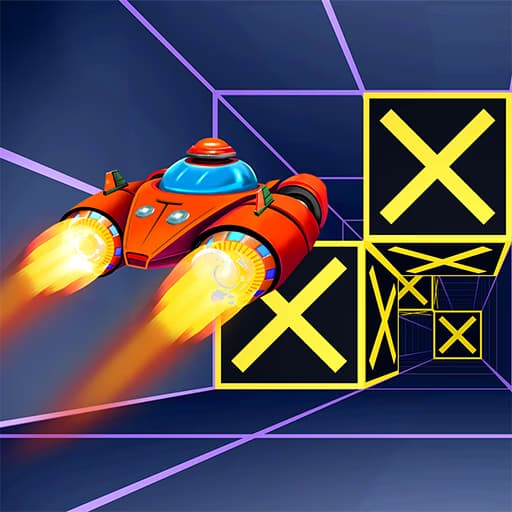
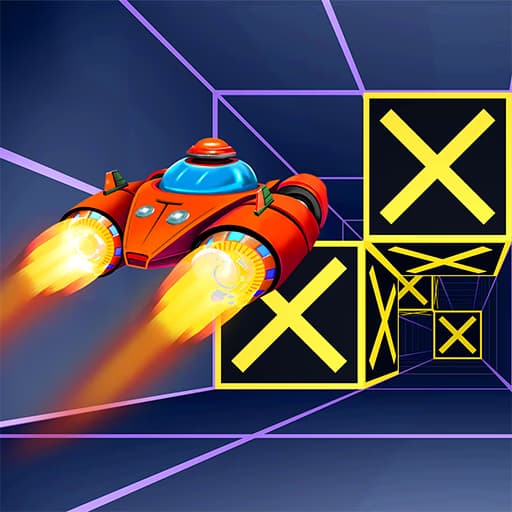
Speed Run 3d is a high-speed arcade runner that tests your reflexes and pattern recognition. In this browser-based skill game, you automatically race forward through a series of vibrant 3D tunnels filled with obstacles. Using simple WASD or arrow key controls, your goal is to survive by steering left and right to avoid collision.
The core challenge in Speed Run 3d is survival through precision movement. You'll navigate twisting corridors where stationary and moving blocks appear suddenly. The game demands you look ahead, anticipate patterns, and react in a split second. There are no power-ups or special moves; it's a pure test of your ability to thread the needle at ever-increasing speeds.
As you clear one level, the next one introduces new color palettes and more complex obstacle arrangements. The difficulty ramps up not just with speed, but with the intricacy of the blockades you must maneuver around. Success is about finding a rhythm and staying focused under pressure.
The control scheme is intentionally simple, making the game accessible to everyone. You only need to worry about horizontal movement using either the WASD keys or the arrow keys. The challenge isn't in learning complex controls, but in mastering them. Small, controlled taps are often more effective than holding a key down, as over-steering can easily send you into a wall.
Learning how to quickly return to the center of the path after a dodge is a critical skill. This position gives you the most time to react to the next set of obstacles, whether they appear on the left, right, or in the middle. The game feels responsive, translating your inputs directly into on-screen action.
You can play Speed Run 3d for free directly in your web browser. Since it's an HTML5 game, there's no need for any downloads or installations. This makes it easy to start playing instantly on a PC, laptop, or Chromebook, even on school or work networks that might restrict other gaming sites.
The goal in Speed Run 3d is to navigate through a series of challenging 3D tunnels and reach the end of each level without crashing into any of the obstacles. Control your movement using the WASD keys or the arrow keys on your keyboard. Press A/left arrow to move left and D/right arrow to move right. Your forward momentum is completely automatic. Each level presents a new tunnel with a unique layout of blocks and barriers. As you progress, the speed increases, requiring faster reactions. Successfully completing a level unlocks the next, more difficult stage.
Look Ahead - Always keep your eyes focused on the horizon to see obstacles as early as possible. Don't stare at your character. Small Adjustments - Use quick, small taps to adjust your position. Holding down the keys often leads to over-correcting and crashing. Center Yourself - After dodging a barrier, try to return to the center of the tunnel. This gives you the best position to react to the next obstacle. Learn the Patterns - Many obstacle formations are repeated. Recognizing these patterns will help you develop muscle memory for navigating them successfully. Stay Calm Under Pressure - The speed can get intense, but panicking leads to mistakes. Take a deep breath and focus on the gaps, not the walls.